How GlidePath WBL handles a WBL placement
How it works
This is the same work you already do: draft the documents, get employer input, collect signatures, track hours, run evaluations, and report. The difference is that the packet, the follow-up, and the record live in one workflow.
 Document drafting
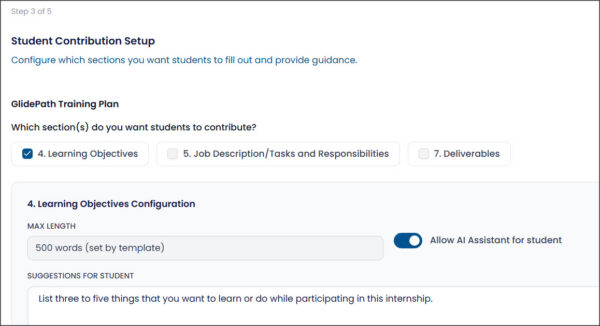
Save hours on paperwork while keeping documents high-quality, compliant, and specific to each activity.
- Work from templates for every kind of form, including your own state or district-approved templates
- Define document packages, such as a Student Learning Agreement, Training Plan, and Confidentiality Agreement as a group for every internship
- Send assignments to students for sections like job descriptions or learning objectives
- Call on AI to draft customizable areas; use connections to O*NET and state curriculum standards for complete drafts
- Create translations for non-English speakers
- Create forms or packages for multiple similar activities at once
See how GlidePath uses AI to draft content in the video below:
Collaborative editing
Get better employer input faster, without back-and-forth email.
- Employers review and suggest changes on the document
- A magic link skips inconvenient login requirements
- Notes can point them to specific sections
- You review and approve their suggestions in one place
See how educators can invite employers to review and comment on WBL document drafts in the video below:
 Signatures
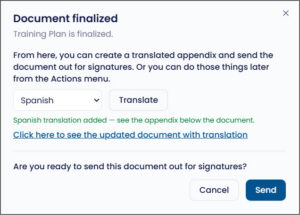
Finish approvals with digital signatures, tracking, and reminders.
- Digital signatures on all documents
- Tracking for documents that still need a wet signature
- Completion tracking with automated or manual reminders
Time sheets and evaluations
Collect verified hours and consistent evaluations without a separate chase.
- Collect and verify student hours
- Employers review and approve timesheets without logging in
- Customized evaluation forms based on your state or district requirements
- Automated reminders to encourage completion
Workflow
See every placement. Keep it moving.
- Track status of drafting, editing, and signatures
- Send automated notes and reminders so items do not stall
Support for employers and students
Lower the barrier to doing the next step.
- Separate portals for employers and students
- Tip sheets, guides, and checklists
- Upload and use your own support materials
Reporting
Show program activity and keep an auditable file.
- Reports on activities, form completion, and evaluations by student, employer, activity, educator, and school
- Easy export of complete signed documents and packages
Interested in learning more?
Click the button below to schedule a 30-minute walkthrough; if you want to see how Glidepath handles your WBL forms, send them in advance and we’ll have them pre-loaded. Or contact us with questions.